
Internet Connectivity:
Apporto relies on a stable and fast internet connection. Issues like high latency or interruptions can negatively impact performance, leading to lag and potential loss of unsaved work.
Portfolio
Fast, secure virtual desktops—browser-based, budget-friendly, and deployed in minutes. Powered by an employee-owned team.
Education
Industry
70+ Expert
Team size
On Going Project
Timeline
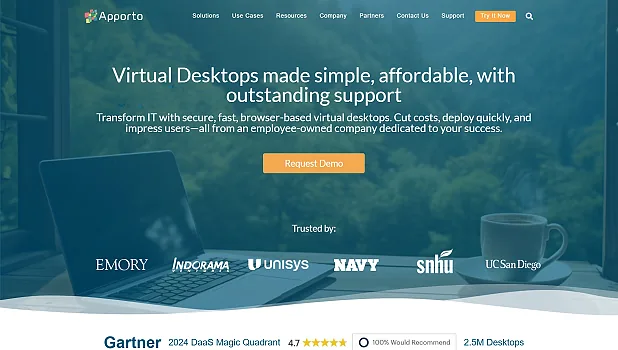
Apporto is a cloud-based platform that delivers virtual desktops and applications to users on various devices through a web browser. It's designed for remote and hybrid work and learning environments, offering a performance-driven, customizable, and manageable virtual workspace. Apporto streamlines IT administration and pro-vides a cost-effective alternative to traditional Virtual Desktop Infrastructure (VDI).







Why OnGraph
Apporto offers easy virtual desktop deployment, but users may face issues with internet reliability, browser compatibility (especially Chrome and Safari), resolution scaling, and inconsistent copy-paste. Idle sessions can expire, risking data loss, and long-term costs may be higher than alternatives.
Apporto relies on a stable and fast internet connection. Issues like high latency or interruptions can negatively impact performance, leading to lag and potential loss of unsaved work.
While Apporto supports various browsers, certain versions of Chrome and Safari have known compatibility issues. For example, Chrome 125.0.6422.142 may cause the top portion of the virtual desktop to become unresponsive, and Safari users may encounter black screens.
Scaling the virtual desktop beyond a certain threshold (175% or higher) can introduce visual artifacts, impacting the user experience.
Copy-pasting between the local device and the Apporto virtual desktop may not work consistently, particularly in Safari.
Apporto sessions can become inactive if the user steps away, and they will eventually expire after a period of inactivity. Users need to save their work regularly to avoid potential data loss.
While Apporto simplifies deployment and configuration of virtual desktops, the ongoing costs can be a challenge compared to some alternative solutions.
Ensure a stable, low-latency internet connection for optimal performance. Consider moving closer to the Wi-Fi router, using a wired connection, or improving the network environment.
If experiencing issues with a specific browser, try using Microsoft Edge, Safari (excluding MacOS Ventura or Sonoma), or Mozilla Firefox as alternatives.
For Google Drive integration, use the native File Upload/Download feature or access Google Drive through a browser within the virtual desktop.
Avoid scaling the virtual desktop beyond 175% to prevent visual artifacts.
Evaluate the cost of Apporto against other solutions, especially for long-term use.
Ratings

Rated 4.5 for our work environment and learning opportunities.

5/5 stars for quality, reliability, ability and overall delivery.

3.9 stars — 94% recommend us and 92% approve of the CEO.
Recognition
Recognized for quality and credibility.
Awards and certifications earned by consistently delivering excellence.










Our experts are online · Free consultation
Our experts are available to discuss your requirements and to become your tech partner.